Imagine settling down after a long day, ready to enjoy your favourite show. You browse the channels, but nothing catches your eye. This familiar problem affects many viewers in the UK, as live television streaming grows.
Monster IPTV brings a wide range of entertainment to your fingertips. It offers over 33,000 live TV channels, 40,000 movies, and 140,000 TV series. You can watch them in stunning HD, Full HD, or 4K quality, without endless scrolling.
Its ultra-stable, high-performance servers support smooth streaming without interruptions. There are no contracts, and it works with Smart TVs, Android, iOS, Firestick, MAG, and PCs. This guide explains how to choose the right subscription, prepare your internet connection, install needed apps, and improve playback quality.
Before starting, check the legality and licensing of IPTV services in your area. Always make sure you access properly authorised content.
Key Takeaways
- Access over 33,000 live TV channels and 140,000 TV series.
- Enjoy movies and shows in HD, Full HD, and 4K quality.
- Utilise ultra-stable servers for smooth streaming experiences.
- Compatible with multiple devices, including Smart TVs and PCs.
- No contracts, allowing for flexible viewing options.
- Ensure to check IPTV legality in your location.
Why Choose Monster IPTV for Your Streaming Needs
For easy access to entertainment, monster iptv offers a reliable streaming service. This live television streaming service includes over 33,000 live TV channels, plus more than 40,000 movies and 140,000 TV series. Content comes in HD, Full HD, and 4K, with live sports, new films, and classic shows for everyone.
A Massive Library of Live TV, Movies and Series
Monster IPTV offers a broad catalogue for varied tastes. Explore many genres and find your favourite shows and movies in one place. This avoids multiple subscriptions and services, giving you uninterrupted entertainment.
Built for UK and International Viewers
The service suits UK households and viewers abroad. It offers familiar programmes, global entertainment, and live sports, helping you stay connected wherever you are. Availability varies by country, so check your region before watching each channel or programme.
No Contracts, Instant Activation and Easy Setup
Monster IPTV offers a no-contract model, so you can subscribe without long-term commitments. Instant activation and guided setup help first-time IPTV users start quickly and easily. Before subscribing, confirm the service’s legal status and content licensing.
Monster IPTV Subscription Plans and Pricing
Reviewing iptv subscription plans from Monster IPTV helps you choose the right option for your needs. Monster IPTV offers choices for different viewing habits, from one connection to four. Plans include various durations and useful promotions.
1 Connection Plans
If you need one connection, Monster IPTV offers these affordable options:
- 1 Month Plan — $15
- 3 Month Plan (+1 Month Free) — $34
- 6 Month Plan (+2 Months Free) — $44
- 12 Month Plan (+3 Months Free) — $69
2 Connection Plans
If you want to share your subscription, consider these 2 connection plans:
- 1 Month Plan — $20
- 3 Month Plan (+1 Month Free) — $46
- 6 Month Plan (+2 Months Free) — $74
- 12 Month Plan (+3 Months Free) — $115
3 Connection Plans
For families or homes with several viewers, these 3 connection plans offer a useful choice:
- 1 Month Plan — $34
- 3 Month Plan (+1 Month Free) — $69
- 6 Month Plan (+2 Months Free) — $99
- 12 Month Plan (+3 Months Free) — $145
4 Connection Plans
These 4 connection plans give larger households the greatest flexibility:
- 1 Month Plan — $40
- 3 Month Plan (+1 Month Free) — $89
- 6 Month Plan (+2 Months Free) — $120
- 12 Month Plan (+3 Months Free) — $170
Each plan shows how many devices may connect at the same time. Check the provider’s exact usage rules before you pay. If you are testing compatibility, start with a short plan, then choose a longer one.
What You Need Before Setting Up Monster IPTV
Before setting up monster iptv, check your equipment and connections. The right setup helps you watch favourite shows and films without interruptions.
Internet Bandwidth Requirements
These internet bandwidth requirements affect streaming quality. Speed matters, but a stable connection matters too. Use at least 10 Mbps for standard definition, 25 Mbps for HD, and more when several users share your network.
Compatible Streaming Devices
Monster IPTV supports many devices, but each must support your chosen IPTV app. These compatible streaming devices include:
- Smart TVs
- Android boxes and smartphones
- iPhone and iPad
- Amazon Firestick
- MAG devices
- Windows and Mac computers
Essential Equipment Checklist
Before starting, gather this equipment:
| Equipment | Description |
|---|---|
| Television or Display | Ensure it supports HDMI or compatible connections. |
| Compatible Device | Choose from the list above. |
| Reliable Router | A good router ensures a stable connection. |
| Remote Control | For easy navigation through channels. |
| Power Supply | Ensure your devices are charged or plugged in. |
| Monster IPTV Account | Have your login details ready. |
For the best monster iptv experience, use a wired Ethernet connection for maximum stability. If cables are impractical, a strong 5 GHz Wi-Fi connection can also work well.
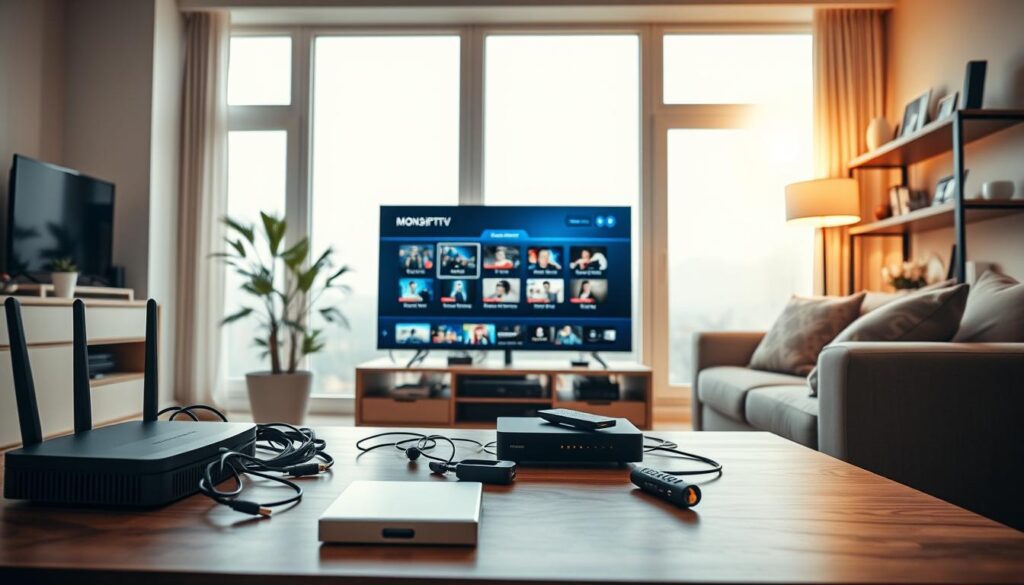
Step-by-Step Guide to Setting Up Monster IPTV on Smart TV
Setting up Monster IPTV on your Smart TV is simple. You can watch live channels, films, and series in HD, Full HD, or 4K. Follow these steps to begin quickly.
Step 1: Choose Your Subscription Plan and Complete Payment
First, choose the subscription plan that suits your viewing needs. Visit the official Monster IPTV website to review the available options. After paying, save the confirmation email with your username, password, and server details.
Step 2: Download and Install the IPTV Application
Turn on your Smart TV and open the official app store. Search for the IPTV application recommended by Monster IPTV. Avoid unofficial downloads and suspicious payment pages, then download and install the app.
Step 3: Enter Your Login Credentials and Server Details
After installation, open the IPTV application. You may need a portal URL, M3U playlist link, or Xtream Codes details. Copy the exact information from your confirmation email to prevent errors.
Step 4: Load the Channel List and Start Watching
After entering your details, refresh or load the channel list. Browse the available categories, then test a live channel before opening the VOD library. If problems arise, restart the app, check your TV’s date and time, and confirm a stable internet connection.
Follow these steps to set up Monster IPTV on your Smart TV and enjoy smooth streaming. For more detailed installation guides, visit this link.
Setting Up Monster IPTV on Firestick and Android Devices
Setting up monster iptv on compatible streaming devices, such as Firestick or Android devices, gives you easy entertainment access. You can watch live sports, films, and series after installation. This guide explains setup steps for both platforms.
Installing Monster IPTV on Amazon Firestick
First, connect your Amazon Firestick to Wi-Fi and sign in to your Amazon account. For a smooth installation, follow these steps:
- Navigate to the Amazon App Store.
- Search for the Monster IPTV application.
- Download and install the app from the official source.
- Open the app and enter your login credentials.
Avoid APK files from unverified sources to protect your device. If your IPTV provider gives installation instructions, follow them carefully.

Configuring Monster IPTV on Android Boxes and Smartphones
For Android boxes and smartphones, check whether your Android version supports the app. Use these steps:
- Download the recommended media player from the Google Play Store.
- Install the Monster IPTV application.
- Enter your authorised login details.
- Wait for the playlist or portal to synchronise.
If problems occur, clear the application cache, check storage space, or restart the device. Playback can change with screen size, Wi-Fi quality, and device power, especially during Full HD or 4K streaming.
Always check that the content you access has the proper licence for responsible monster iptv use.
| Device Type | Installation Steps | Notes |
|---|---|---|
| Amazon Firestick | Download from App Store | Avoid unverified APKs |
| Android Box | Check Android version | Use recommended media player |
| Smartphone | Install from Google Play | Ensure sufficient storage |
Configuring Monster IPTV on iOS and PC
Using Monster IPTV on iOS devices and PCs is simple. These steps help you stream on iPhone, iPad, Windows, and Mac. A correct setup lets you watch beyond your television.
Setting Up Monster IPTV on iPhone and iPad
Follow these steps to use Monster IPTV on your iOS devices:
- Open the App Store and search for a compatible IPTV player.
- Review the app’s privacy and access requirements before downloading.
- Once installed, enter your account or playlist information accurately to access your channels.
Use reputable applications to protect your data. Update your device software often for better performance and security.
Installing Monster IPTV on Windows and Mac
Windows and Mac users can download an IPTV player or use a browser-based method, if their provider supports it. Follow these steps:
- Choose a reliable IPTV player from official sources.
- Install the application and enter your Monster IPTV subscription details.
- Alternatively, access the service through a web browser if your provider allows it.
Your subscription provides access details, while the application displays the content. Test one channel first to check that everything works smoothly. If available, adjust the player’s buffer settings for better performance.
For comfortable viewing, consider a larger monitor or an external display. Protect your login details from unauthorised access to keep your account secure.
“Streaming should be easy and enjoyable, allowing you to watch what you love, when you want.”
Follow these steps to enjoy the wide range of Monster IPTV on iOS devices and computers. Enjoy streaming!
Optimising Your Streaming Quality and Bandwidth
To enjoy smooth streaming, optimise your internet connection. First, understand your internet bandwidth requirements to improve viewing with monster iptv.
Recommended Internet Speeds for HD, Full HD and 4K
Here are the recommended internet speeds for different streaming qualities:
| Resolution | Recommended Speed (Mbps) |
|---|---|
| HD | 5-10 |
| Full HD | 10-20 |
| 4K | 25+ |
These speeds support live television streaming without buffering. Actual needs may change with network conditions and the specific stream.
Tips for Buffer-Free Streaming
To further enhance your streaming experience, consider the following tips:
- Test your connection speed near the viewing device.
- Pause any large downloads while streaming.
- Reduce simultaneous streaming on multiple devices.
- Restart your router if you encounter issues.
Place your router in a central, open position to improve signal strength. If supported, a less crowded Wi-Fi band can also help.
Using a Wired Connection for Maximum Stability
For the best performance, use a wired Ethernet connection. Ethernet usually has less interference and steadier performance than Wi-Fi.
If your network is busy, choose lower streaming quality temporarily to prevent interruptions. Test different channels before blaming your subscription.
Exploring Monster IPTV Features and Parental Controls
Monster IPTV meets many streaming needs with over 33,000 live channels, 40,000 movies, and 140,000 TV series. You can browse live TV, sports, films, and series without missing your favourite content.
The Electronic Programme Guide (EPG) makes viewing easier by showing current and upcoming programmes. Unlike random channel surfing, it lets you check schedules quickly. Depending on your app and service settings, it may show programme descriptions and catch-up functions.
Navigating the Electronic Programme Guide
The electronic programme guide helps you find your next programme and plan your viewing. It also helps you catch missed episodes and use Monster IPTV’s extensive library.
Setting Up Parental Controls for Family Viewing
For families, setting up parental controls helps block unsuitable content. Set a PIN, and keep it private to prevent unauthorised changes. Controls vary by device or player, so check settings and adjust your family’s viewing experience.
Accessing 33,000+ Live Channels and the VOD Library
Monster IPTV offers easy access to live channel groups, sports categories, and its extensive Video on Demand (VOD) library. You can move between categories, organise favourites, and use search tools. This makes the large collection easier to manage.
Overall, Monster IPTV combines a detailed EPG, effective parental controls, and a large catalogue of channels and movies.
Troubleshooting Common Monster IPTV Issues
Monster IPTV problems can interrupt your streaming. Common issues include buffering, stopped streams, and login errors. This guide explains how to fix them.
Fixing Buffering and Streaming Interruptions
Buffering can make streaming frustrating. Try these steps to improve your connection:
- Check your internet connection speed to ensure it meets the internet bandwidth requirements for smooth streaming.
- Restart your router and the IPTV application to refresh the connection.
- Reduce the stream quality if your internet speed is inconsistent.
- Close other applications that may be using high bandwidth.
- Try using an Ethernet connection for a more stable experience.
Resolving Connection and Login Errors
Connection and login errors can block access to your service. Use these tips to solve the problem:
- Double-check your login credentials for spelling and capitalisation.
- Ensure your account is active and that you haven’t exceeded the number of permitted connections.
- Verify that the device’s date and time settings are correct.
- Make sure you’re entering the correct server details.
Never enter your credentials on unfamiliar websites. This helps protect you from security risks.
When to Contact Monster IPTV Customer Support
Contact customer support if these steps do not solve the problem. You should contact them when:
- Your activation email hasn’t arrived.
- Valid credentials fail across multiple devices.
- You’ve been charged but cannot access your account.
- The service remains unavailable after performing basic network checks.
Customer support cannot resolve issues involving iptv legality and licensing. Check your local regulations independently.
Conclusion
Choosing Monster IPTV opens the door to a world of entertainment. You get over 33,000 live channels, plus 40,000 movies and 140,000 TV series. The service supports HD, Full HD, and 4K streaming, giving you excellent picture quality.
Monster IPTV offers flexible iptv subscription plans without long-term contracts. You can choose a plan that suits your viewing habits and budget. Setup takes only a few minutes, so you can activate the service quickly.
Before starting, check that your device meets the minimum requirements. Also ensure your internet connection supports your chosen streaming quality. At least 25 Mbps supports smooth 4K streaming, while 50+ Mbps offers an even better experience.
Review your options and prepare for smooth viewing. With Monster IPTV, live television streaming becomes a reliable, enjoyable part of your daily entertainment.