
Picture a rainy Saturday afternoon, when you want to curl up on the sofa with a warm blanket. Your favourite snacks are ready, but the streaming device offers more viewing options. The Monster Box TV can turn your living room into a cinema and sports bar.
This device opens a vast entertainment world with over 33,000 live TV channels, 40,000 movies, and 140,000 TV series. It provides stunning HD, Full HD, and 4K quality for sports fans, film buffs, and all viewing tastes.
Your streaming device setup can be simple. Connect the box, pair the remote, and activate your Monster IPTV subscription using straightforward steps. This guide helps you avoid long-term contracts and confusing technicalities for a seamless entertainment experience.
Grab your remote and explore sports, films, and series on the Monster Box TV, all at your fingertips!
Key Takeaways
- Access to over 33,000 live TV channels and a vast library of films and series.
- Supports HD, Full HD, and 4K viewing for an immersive experience.
- Ultra-stable servers ensure smooth streaming with minimal buffering.
- No contracts or complicated setups required.
- Compatible with Smart TVs, Android, iOS, Firestick, MAG, and PC.
What Is Monster Box TV and Why It Stands Out
Enjoy sports, movies, and series with Monster Box TV, a powerful Android TV box and entertainment hub. As an android tv box, it offers smooth access to varied content through a user-friendly interface and dedicated remote control.
Monster Box TV meets your viewing needs with high-performance servers for smooth HD, Full HD, and 4K streaming. You can watch films and series in stunning detail without interruptions.
Key Features of Monster Box TV
These features make Monster Box TV a strong choice:
- Extensive Channel Selection: Access a large variety of international channels.
- On-Demand Libraries: Enjoy a wide range of movies and series available at your fingertips.
- High-Definition Playback: Experience content in HD, Full HD, and 4K resolutions.
- Reliable Streaming: High-performance servers ensure a smooth viewing experience.
Compatible Devices and Platforms
Monster Box TV lets you watch favourite content on many devices, including the following:
| Device Type | Compatibility |
|---|---|
| Smart TV | Yes |
| Android Devices | Yes |
| iOS Devices | Yes |
| Firestick | Yes |
| MAG Devices | Yes |
| PC | Yes |
This flexibility lets you move between rooms or screens without missing your favourite shows. Before starting, check your television, internet connection, and preferred viewing device for the best android tv box experience.
“Monster Box TV transforms your living room into a cinematic experience.”
Unboxing Your Monster Box TV Package
Unpacking your Monster Box TV starts your journey towards endless streaming options. It also helps you check that everything needed for a smooth setup is included.
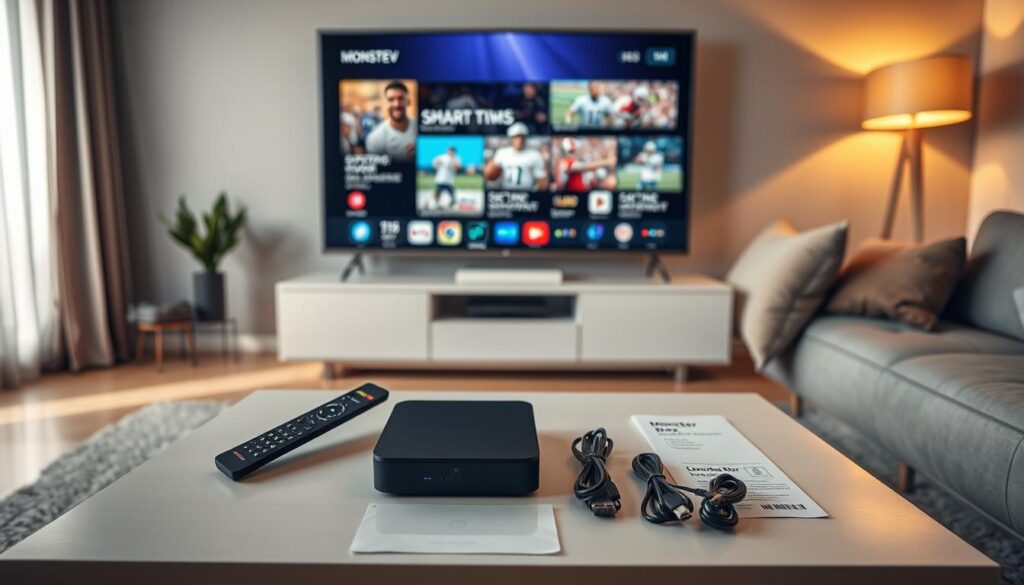
What’s Inside the Box
Open the package and look for these items:
- Monster Box TV unit – The heart of your streaming experience.
- Power adaptor – To keep your device powered up.
- Remote control – For easy navigation through your favourite content.
- Batteries – Often included for your remote control.
- HDMI cable – Essential for connecting to your television.
- Instructions – Helpful guidelines to assist with setup.
Contents may vary by seller or model. Compare the items with the supplied checklist instead of assuming every accessory is included.
Initial Setup Checklist
Before connecting cables, use this checklist for a smooth streaming device setup:
- Placement: Position the Monster Box TV near your television for easy access.
- Ventilation: Ensure there is adequate airflow around the device to prevent overheating.
- Power socket: Locate a stable power socket for the power adaptor.
- HDMI cable: Check that the HDMI cable is in good condition and ready for use.
- Wi-Fi details: Prepare your Wi-Fi information if you plan to connect wirelessly.
Remove protective film from the device, keep the packaging until you test it, and avoid enclosed spaces. These steps help prevent heat build-up and make your streaming device setup quick and hassle-free.
Connecting Monster Box TV to Your Television via HDMI
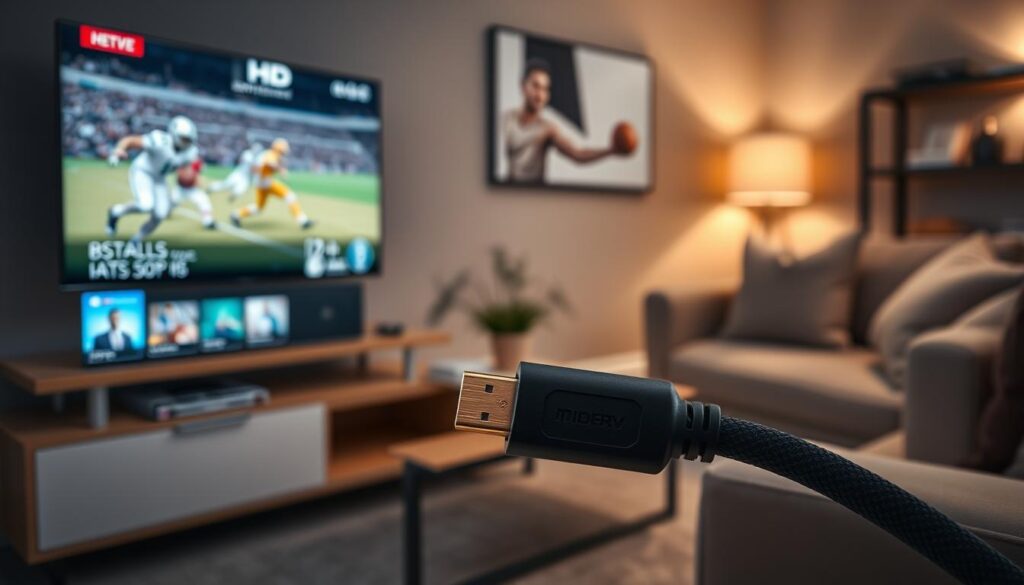
Connecting your Monster Box TV to your television with an hdmi connection is simple and improves your viewing experience. Follow these steps to enjoy your favourite shows and movies in stunning quality.
Using the HDMI Connection Properly
First, find the HDMI output and connect one end of your HDMI cable to it. Plug the other end into an available HDMI input on your television. Push both connectors in firmly, but do not force them.
Remember which HDMI port you used, such as HDMI 1 or HDMI 2. You will need this information when choosing your television’s input source.
Selecting the Correct Input Source
Now that your Monster Box TV is connected, pick up your television remote. Find the Source, Input, or AV button, then press it. Cycle through the options until you find the HDMI port linked to your Monster Box TV.
If you see a blank screen, do not panic. Try these practical checks:
- Ensure the HDMI cable is securely connected at both ends.
- Try another HDMI port on your television if available.
- Confirm that your Monster Box TV is powered on.
- Test with a different HDMI cable if necessary.
For 4K playback, check that your television and HDMI cable support this output format. Otherwise, your device may use a lower resolution.
Powering On and Pairing Your Remote Control
Setting up your Monster Box TV is simple. Connect the power adaptor to the device, then plug it into a suitable mains socket. Press the power button or use the remote control to turn on the TV.
The first start-up may take a little longer than usual. The device loads its operating system and checks all connected hardware. Be patient during this first stage.
First-Time Power-Up Steps
To power up your Monster Box TV:
- Connect the power adaptor to the Monster Box TV.
- Plug the other end into a wall socket.
- Press the power button or use the remote control to turn it on.
Remote Control Pairing Guide
After powering on your Monster Box TV, begin remote control pairing. Follow these simple steps:
- Insert the batteries into the remote control, ensuring they are positioned correctly.
- Keep the remote close to the Monster Box TV.
- Follow any on-screen prompts to complete the pairing process.
If remote control pairing fails, do not worry. Restart the box, replace any weak batteries, and repeat the steps in the product instructions. After pairing, test the navigation, volume, and back buttons to confirm they work correctly.
With remote control pairing complete, you can move to network settings and enjoy your Monster Box TV’s full capabilities.

Connecting Monster Box TV to the Internet
Connect your Monster Box TV to the internet for the best viewing experience. A reliable connection supports smooth streaming of live sports, films, and series. Choose a wired Ethernet connection or Wi-Fi, based on your viewing needs.
Wired Ethernet Connection
Wired Ethernet suits demanding tasks, such as live sports or 4K content. It creates a steadier link between your Monster Box TV and router, reducing interruptions and buffering.
Plug one end of the Ethernet cable into your router. Plug the other end into the Ethernet port on your Monster Box TV. Then open your device’s network settings and confirm the connection.
Wi-Fi Setup for Wireless Streaming
For wireless streaming, keep your Monster Box TV within strong signal range. Select the correct Wi-Fi network name and enter its password carefully. A strong Wi-Fi signal helps stream high-resolution content without disruptions.
After connecting, run a speed test. If the result is poor, move closer to the router or restart it. Excellent advertised server performance cannot overcome weak home broadband or heavy network congestion.
A stable internet connection matters once your iptv subscription is active. High-resolution streams need more bandwidth than standard-definition viewing, so a solid connection improves your experience.
Activating Your Monster IPTV Subscription
To fully enjoy your Monster Box TV, activating your IPTV subscription is essential. This process gives you access to many channels and on-demand content. Here’s how to begin your subscription.
Choosing the Right Subscription Plan
When choosing your IPTV subscription, consider how many devices or simultaneous connections you need. Monster IPTV offers plans for different household needs. Choose from the following options:
| Connections | 1 Month | 3 Months | 6 Months | 12 Months |
|---|---|---|---|---|
| 1 Connection | $15 | $34 (1 Month Free) | $44 (2 Months Free) | $69 (3 Months Free) |
| 2 Connections | $20 | $46 (1 Month Free) | $74 (2 Months Free) | $115 (3 Months Free) |
| 3 Connections | $34 | $69 (1 Month Free) | $99 (2 Months Free) | $145 (3 Months Free) |
| 4 Connections | $40 | $89 (1 Month Free) | $120 (2 Months Free) | $170 (3 Months Free) |
Completing Instant Activation
Activation is advertised as instant, so you can stream your favourite shows without delay. Follow the official purchase and activation instructions provided with your service. Usually, you enter the supplied account details into the correct application or portal.
Subscription Pricing Breakdown
After choosing your plan, link your subscription to the intended device. Check that channels and on-demand content load successfully. This crucial check helps provide a smooth viewing experience.
“The best way to predict the future is to create it.”
With the right plan and successful activation, enjoy everything Monster Box TV offers. For more details about your iptv subscription, visit Monster IPTV.
Navigating the Monster Box TV Interface
The monster box tv interface opens the door to a world of entertainment. Its simple design gives you quick access to live TV, films, and series.
Understanding the Main Menu
Your main menu controls every part of your Monster Box TV. It includes live channels, sports, films, series, favourites, search, and device settings.
- Use the directional buttons on your remote to scroll through the options.
- Press the OK or Select button to enter a category.
- If you wish to go back, simply hit the back button.
- To return to the home screen at any time, press the home button.
Use search to find a programme quickly, instead of scrolling through long listings. It saves time and helps you discover content faster.
Customising Your Home Screen
Customising your monster box tv home screen can improve your viewing experience. Move often-used categories and add your favourite channels.
- Place live sports and recently watched series near the top for easy access.
- Organise your categories based on your viewing habits, so your most-used options are readily available.
- Consider adding shortcuts to apps you use often, making navigation even smoother.
A personalised home screen creates a tailored space for viewing. It makes finding your favourite content quick and easy.
Streaming Live Sports on Monster Box TV
Enjoy live sports at your fingertips with Monster Box TV. This powerful streaming device gives you many live sports channels, so you can catch your favourite events more easily.
Open the sports category on your Monster Box TV interface to find live sports channels. Use the channel guide or search function to locate specific events quickly. Add favourite channels to your favourites list for quicker access.
Check the programme listings to find live events. You can then open a channel directly instead of returning to the home screen. For the best viewing experience, use a wired Ethernet connection when possible to reduce video buffering and stream smoothly.
If your network is busy, choose a suitable HD or Full HD stream for better performance. Close unnecessary apps or downloads using the same connection to improve streaming further.
Monster IPTV advertises high-performance servers built for stable playback, but video buffering can still happen for several reasons. These include slow broadband speeds, weak Wi-Fi signals, router congestion and a heavy device load. If buffering occurs, restart the router and Monster Box TV; check devices, then temporarily lower video quality for smoother viewing.
Follow these tips to enjoy live sports more on Monster Box TV. For more information about this streaming device’s features and benefits, visit Monster TV Box Review.
Watching Movies and Series in HD and 4K
Monster Box TV offers a wide choice of films and series in HD and 4K. It includes over 40,000 movies and 140,000 TV series, so you can always find something to watch. Choose the latest blockbuster or a classic film from its large library.
Browsing the movie and series library is easy. Explore categories and genres, use search for titles, or check release information. Watch-history tools let you revisit favourite shows and films.
Use favourites or watchlists to manage your choices and track what you want to watch next.
Browsing the Movie and Series Library
The library uses clear categories, making new content easy to find. These features can help you navigate the library:
- Categories: Sort by genres like action, comedy, drama, and more.
- Search Function: Quickly find specific titles or actors.
- Watch History: Easily access previously watched content.
Adjusting Resolution Settings
For the best viewing experience, adjust your resolution settings. Monster Box TV supports HD, Full HD, and 4K resolution, based on several factors:
| Resolution | Requirements | Quality |
|---|---|---|
| HD | Basic subscription, standard HDMI cable | Good |
| Full HD | Advanced subscription, compatible device | Better |
| 4K | Premium subscription, 4K TV, high-speed internet | Best |
Consider your internet speed and television’s capabilities when choosing resolution settings. The automatic resolution option lets the box match the connected television for optimal performance. If playback fails, especially on busy Wi-Fi networks, switch to HD or Full HD for a steadier experience.
Although 4K resolution gives stunning detail, every part of your setup must support it for the best results.
Troubleshooting Common Issues on Monster Box TV
Monster Box TV may have common issues that need troubleshooting. These steps support smooth access to live sports, films, and series on Smart TV, Android, iOS, Firestick, MAG, and PC.
Fixing Video Buffering Problems
Video buffering is frustrating, especially during a key moment in live sport. Try these steps to fix the problem.
- Check Your Broadband Speed: Ensure your internet connection is fast enough for streaming.
- Switch to Ethernet: If possible, connect your Monster Box TV directly to your router using an Ethernet cable.
- Restart Your Devices: Sometimes, simply restarting your router and Monster Box TV can solve buffering issues.
- Close Background Applications: Ensure no other applications are consuming bandwidth.
- Lower Playback Quality: If the issue persists, consider reducing the video quality in the settings.
Resolving App Compatibility Issues
App compatibility can affect your viewing experience. Use these tips to improve performance on your device.
- Confirm App Compatibility: Ensure the application is designed for your operating system and device.
- Install Updates: Keep your apps updated to the latest versions for optimal performance.
- Check Account Credentials: Make sure you are logged in with the correct account details.
- Follow Installation Methods: Use the correct installation process for your specific device, whether it’s Android, iOS, Firestick, MAG, Smart TV, or PC.
Setting Up Parental Controls
Parental controls help manage content for younger viewers. Follow these steps to set them up on Monster Box TV.
- Access Settings: Navigate to the settings menu on your Monster Box TV.
- Create a Strong PIN: Establish a secure PIN to prevent unauthorised access to restricted content.
- Restrict Content: Set age ratings or categories to limit what can be viewed.
- Test Restrictions: Use a standard user profile to confirm that the chosen limits are active.
These troubleshooting tips can improve your Monster Box TV viewing experience. For more assistance, visit this page.
Conclusion
Using monster box tv is simple and rewarding. First, unbox the device and connect it to your television with HDMI. Pair the remote, connect to reliable internet, then activate your subscription to unlock a large entertainment library.
Monster box tv gives you over 33,000 live channels, 40,000 movies, and 140,000 series. Enjoy content in HD, Full HD, and 4K across multiple devices. Choose a plan for one to four connections, lasting from one to twelve months.
For the best experience, check that your device is compatible and use the most stable internet connection available. Follow the activation instructions carefully to access Monster IPTV’s international library and enjoy seamless viewing. For more setup and feature details, read the digital edition, with instant web reading and offline access in high-fidelity formatting.